10 Notion Templates to Organize Your Daily Life
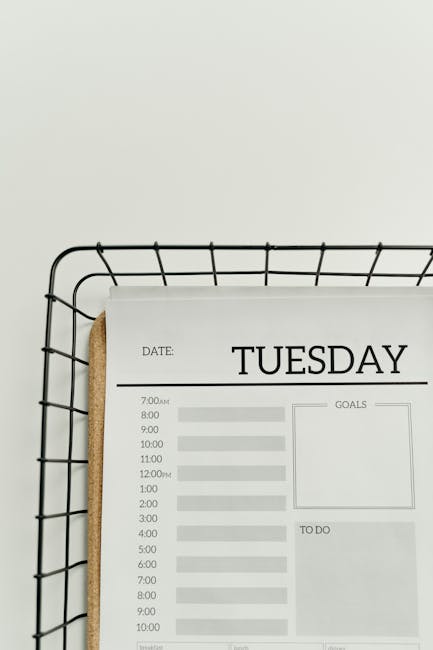
Photo by cottonbro studio on Pexels
Stop Fragmented Planning: Why You Need Notion Templates
Modern life demands juggling work deadlines, personal errands, fitness routines, meal planning, and social commitments — often across half a dozen different apps. The result? Mental clutter, missed tasks, and the nagging feeling that something is slipping through the cracks.
Notion templates solve this by bringing everything under one roof. Instead of hopping between a to-do app, a note-taking tool, a habit tracker, and a calendar, you get a single workspace where all your life domains connect. Below are ten carefully curated templates that cover the most common daily-life pain points.
1. The All-in-One Daily Dashboard
A master dashboard is your command center. It typically combines a daily agenda, a quick-capture inbox, a weekly goal tracker, and mood/energy logs on one page. The best versions use linked databases so that checking off a task in your dashboard automatically updates your master project list.
- Best for: People who want a single “start here” page every morning.
- Key features: Date-based filter, inline calendar view, quick-add button.
2. Habit Tracker with Streak Analytics
Basic habit trackers just list checkboxes. A great Notion habit tracker, however, uses formula properties to calculate streaks, completion rates, and monthly progress bars. You can roll up habits into categories — health, learning, mindfulness — and see at a glance which areas need attention.
- Best for: Building consistency in exercise, reading, or meditation.
- Pro tip: Add a “streak counter” formula: if today is checked and yesterday was checked, increment.
3. Meal Planner & Grocery List Combo
Meal planning in Notion eliminates the “what’s for dinner?” spiral. Use a calendar database for daily meals, a linked recipe database for your go-to dishes, and a grocery list view that auto-populates ingredients based on what you plan to cook. Some templates even calculate approximate prep time.
- Best for: Busy families, meal-preppers, and anyone tired of last-minute takeout.
- Bonus: Tag recipes by dietary preference (keto, vegan, gluten-free).
4. Finance Tracker & Budget Dashboard
Notion isn’t a bank, but it’s an excellent expense logging and budgeting tool. A good finance template includes monthly income/expense tables, category-based rollups, savings goal progress bars, and a net worth snapshot. Link transactions to categories and let Notion’s sum function do the math.
- Best for: Visual budgeters who want a big-picture view without spreadsheet fatigue.
- Caution: Always export bank statements as backup — Notion is not PCI-compliant.
5. Weekly Review & Reflection Journal
Inspired by the GTD methodology, a weekly review template prompts you to celebrate wins, analyze bottlenecks, clear your inbox, and set intentions for the coming week. A reflection journal page sits alongside it, with guided prompts like “What drained my energy this week?” and “What am I looking forward to?”
6. Home Maintenance & Chore Schedule
Never forget to change the HVAC filter or deep-clean the oven again. This template uses a recurring task database with frequency tags (daily, weekly, monthly, quarterly). Each task links to a page with instructions, supply lists, and notes. You can assign tasks to family members if you share the workspace.
7. Reading List & Book Tracker
A proper reading tracker goes beyond listing titles. Include fields for author, genre, status (to-read/reading/finished), rating, key takeaways, and quotes. The gallery view shows beautiful cover images, and you can filter by genre to decide what to read next. Some templates even track pages per day.
8. Travel Planner & Packing Checklist
Planning a trip in Notion means itinerary timeline, booking confirmations (upload PDFs), packing checklist (grouped by category), budget tracker, and places to eat/see database — all on one page. Share the workspace with travel companions for real-time collaboration.
9. Content Creator Editorial Calendar
If you blog, podcast, or post on social media, an editorial calendar keeps you consistent. Track content ideas, draft status, publish dates, platform, and promotional checklist. The calendar view gives you a bird’s-eye perspective on your content pipeline.
10. Personal CRM & Relationship Tracker
Stay in touch with the people who matter. Log contact details, last interaction date, birthday, notes about their interests, and follow-up reminders. Set a recurring reminder to reach out to at least one person from your “due for a catch-up” filter each week.
How to Get the Most Out of These Templates
Simply duplicating a template isn’t enough. Spend 15 minutes customizing it: rename properties to match your vocabulary, delete sections you don’t need, and add your own categories. The real power of Notion templates emerges when you link databases together — for example, connecting your habit tracker to your daily dashboard so a good habit streak shows up as a celebration banner.
Start with two or three templates that address your biggest pain points. Once those become second nature, add more. Overloading yourself with ten templates on day one is the fastest path to abandoning the system.
Final Thoughts
The right Notion templates do more than organize — they reduce decision fatigue. When your daily routine, meals, finances, and relationships all live in a structured but flexible system, you free up mental energy for what actually matters. Browse our template collection at notionkit.tech to find ready-to-duplicate versions of every template mentioned here.