Best Free Notion Templates for Freelancers in 2026
Freelancers need systems that save time, organize projects, and track finances. The best free Notion templates for freelancers in 2026 include all-in-one dashboards, client management systems, and invoice trackers. These templates eliminate admin chaos, letting you focus on billable work. Below, you’ll find the top free options, how to use them, and a comparison table to pick the right fit.
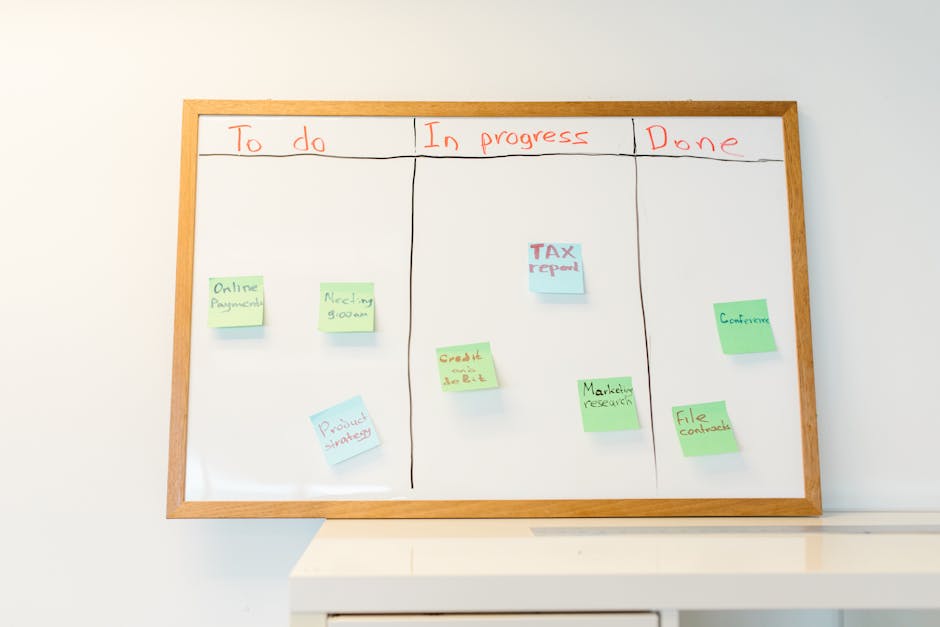
*Photo by cottonbro studio on Pexels*
## Why Freelancers Need Notion Templates in 2026
Freelancing is booming, but 60% of freelancers report spending over 10 hours weekly on admin tasks. Notion templates automate repetitive workflows—from client onboarding to tax prep. In 2026, the best free templates integrate AI, automation, and real-time collaboration.
- Save 5+ hours per week on task management.
- Reduce errors with predefined databases and formulas.
- Scale your business without hiring a virtual assistant.
## Top 5 Free Notion Templates for Freelancers
### 1. All-in-One Freelancer Dashboard
This template is your command center. It combines a task manager, calendar, and finance tracker in one view.
Key features:
- Project database with status (Active, Pending, Completed).
- Invoice tracker with payment reminders.
- Weekly goal widget.
Best for: Freelancers juggling multiple clients.
### 2. Client CRM & Proposal Tracker
Manage leads and existing clients without expensive software.
Key features:
- Contact database with communication logs.
- Proposal pipeline (Sent, Viewed, Accepted, Rejected).
- Automated follow-up reminders.
Best for: Freelancers who pitch regularly.
### 3. Invoice & Expense Manager
Track income, expenses, and tax deductions seamlessly.
Key features:
- Invoice templates with auto-calculated totals.
- Expense categories (Software, Travel, Office).
- Monthly profit/loss report.
Best for: Freelancers needing budget clarity.

*Photo by Jakub Zerdzicki on Pexels*
### 4. Project & Task Manager
Break down large projects into manageable tasks.
Key features:
- Kanban board view for workflow.
- Time tracking with manual input.
- Deadline alerts.
Best for: Freelancers in design, development, or consulting.
### 5. Freelance Content Calendar
Ideal for writers, social media managers, and marketers.
Key features:
- Content pipeline (Idea, Draft, Review, Published).
- Client approval status.
- SEO keyword tracker.
Best for: Content creators.
## Comparison Table: Free Notion Templates for Freelancers
| Template Name | Best For | Key Automation | Setup Time | Integrations |
|---|---|---|---|---|
| All-in-One Dashboard | General freelancers | Task status updates | 10 mins | Calendar, Slack |
| Client CRM | Sales-focused freelancers | Follow-up reminders | 15 mins | Gmail, LinkedIn |
| Invoice & Expense | Budget-conscious freelancers | Tax calculations | 5 mins | Stripe, PayPal |
| Project Manager | Multi-project freelancers | Deadline alerts | 8 mins | Trello, Asana |
| Content Calendar | Creatives & marketers | Approval workflows | 12 mins | Google Sheets |
## How to Choose the Right Template
Not all templates fit every freelancer. Here’s how to decide:
- If you struggle with deadlines: Pick the Project Manager or Dashboard.
- If you forget to invoice: Use the Invoice & Expense Manager.
- If you lose client leads: Go for the Client CRM.
Pro tip: Start with the All-in-One Dashboard. It covers 80% of freelance needs. Then add specialized templates as you grow.
## Step-by-Step: Setting Up a Free Notion Template
1. Duplicate the template from notionkit.tech (one click).
2. Customize databases – rename properties (e.g., “Client Name” to “Project Name”).
3. Add your projects – populate with current tasks and invoices.
4. Set up views – switch between table, board, or calendar.
5. Share with clients – grant view-only access for transparency.

*Photo by Kanhaiya Sharma on Pexels*
## Advanced Tips for 2026
- Use AI formulas – Notion’s 2026 updates include AI for auto-summarizing tasks.
- Automate with Zapier – connect templates to email, payment tools, or CRMs.
- Create a dashboard – link multiple templates via “Related” databases.
Example: Link your Invoice Manager to your Client CRM. When a client pays, the status updates automatically.
## Common Mistakes to Avoid
- Overcomplicating – Start with 3 databases max.
- Ignoring backups – Export your workspace monthly.
- Skipping templates – Building from scratch wastes time.
## Conclusion
Free Notion templates are game-changers for freelancers in 2026. They cut admin time, improve client relationships, and boost income tracking. Start with the All-in-One Dashboard or Invoice Manager from notionkit.tech. Duplicate them in seconds and customize to your workflow.
Ready to streamline your freelance business? Visit notionkit.tech to download these free templates and explore 100+ more productivity systems. Your future self will thank you.