Best Notion Templates for Goal Setting and Habit Tracking in 2026
Setting goals and building habits is easier than ever with Notion templates. In 2026, the best templates combine visual dashboards, automated progress tracking, and habit streaks to keep you accountable. Whether you want to crush your career milestones, improve your health, or learn a new skill, the right Notion setup can save you hours of manual tracking. This article reveals the top templates available now on notionkit.tech, plus actionable tips to make them work for you.
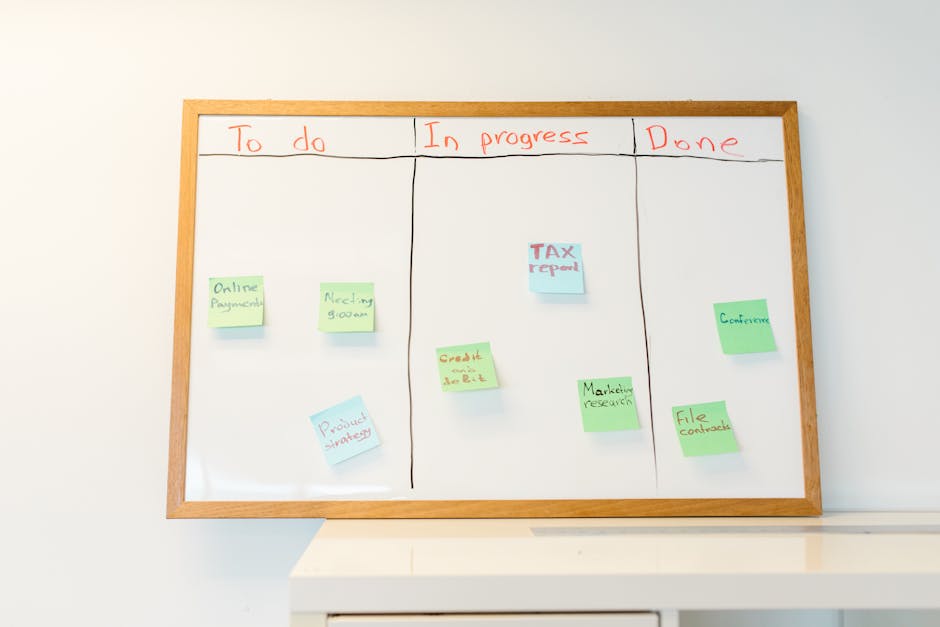
Photo by RDNE Stock project on Pexels
## Why Use Notion for Goal Setting and Habits in 2026?
Notion evolves every year. In 2026, its database features, formulas, and integrations are more powerful than ever. Here’s why Notion templates are the best choice:
- All-in-one workspace – No need for separate apps for goals, habits, and notes.
- Visual dashboards – See your progress at a glance with charts and progress bars.
- Customizable formulas – Automatically calculate completion rates, streaks, and deadlines.
- Mobile-friendly – Track habits on the go with the Notion app.
## Top 5 Notion Templates for Goal Setting and Habit Tracking
Below are the best templates available on notionkit.tech. Each is designed for a specific use case.
### 1. The Ultimate Goal & Habit Tracker
Best for: All-in-one goal setting with daily habit tracking.
This template combines SMART goals, quarterly objectives, and daily habits in one dashboard. Key features:
- Goal database with status, deadline, and priority labels.
- Habit tracker with checkboxes and weekly streaks.
- Progress dashboard showing completion percentages for each goal.
- Monthly review section to reflect on wins and adjustments.
Pro tip: Set up a recurring weekly review reminder in Notion to update your progress every Sunday.
### 2. The Yearly Vision Board & Habit Calendar
Best for: Long-term planning with a visual twist.
This template uses a 12-month calendar view where you drag and drop habits for each day. It also includes:
- Vision board section with images and quotes for motivation.
- Yearly goals broken down into monthly milestones.
- Habit streaks automatically calculated using formulas.
- Color-coded tags for different habit categories (health, work, learning).

Photo by Ahmed on Pexels
### 3. The Productivity Power Pack
Best for: Professionals juggling multiple projects and habits.
This template integrates OKRs (Objectives and Key Results) with daily habits. You get:
- OKR dashboard with key results linked to specific habits.
- Weekly habit log with checkboxes and notes.
- Time blocking section to schedule habits into your day.
- Automated reports showing which habits drive the most progress.
Actionable tip: Link each habit to a specific key result. For example, “Write 500 words” supports the key result “Complete first draft of report.”
### 4. The Minimalist Habit Tracker
Best for: Simplicity and speed.
If you want a no-fuss setup, this template is perfect. It includes:
- Single-page dashboard with a list of habits and daily checkboxes.
- Weekly completion rate shown as a percentage.
- Notes column for reflections or adjustments.
- No databases – just a clean, fast-loading page.
Why it works: Less friction means you’re more likely to use it daily. Perfect for beginners.
### 5. The 90-Day Challenge Tracker
Best for: Short-term sprints and habit formation.
This template is designed for 90-day challenges (e.g., fitness, reading, or learning). Features:
- Countdown timer to the end of the challenge.
- Daily habit log with streak tracking.
- Milestones for every 30 days.
- Reward system – mark when you hit a milestone and treat yourself.
Pro tip: Use the reward system to stay motivated. Examples: a nice dinner after 30 days, a new book after 60 days.

Photo by fewmiracles . on Pexels
## Comparison Table: Which Template Should You Choose?
| Template Name | Best For | Key Feature | Skill Level |
|---|---|---|---|
| Ultimate Goal & Habit Tracker | All-in-one goal setting | Progress dashboard | Intermediate |
| Yearly Vision Board & Habit Calendar | Long-term planning | 12-month calendar view | Intermediate |
| Productivity Power Pack | Professionals | OKR integration | Advanced |
| Minimalist Habit Tracker | Simplicity | Single-page design | Beginner |
| 90-Day Challenge Tracker | Short-term sprints | Countdown timer | Beginner |
## How to Set Up Your Notion Goal & Habit System in 5 Steps
Follow these steps to get started with any template from notionkit.tech.
### Step 1: Choose Your Template
Pick one from the list above based on your goals and skill level. Download it directly from notionkit.tech.
### Step 2: Duplicate and Customize
Click Duplicate in Notion to create your own copy. Then:
- Rename the template (e.g., “My 2026 Goals”).
- Replace sample goals and habits with your own.
- Adjust colors and tags to match your preferences.
### Step 3: Set Your Top 3 Goals
Don’t overwhelm yourself. Focus on 3 major goals for the next 90 days. Write them in the goal database with specific deadlines.
### Step 4: Add 3-5 Daily Habits
For each goal, define 3-5 habits that move you forward. Example:
- Goal: “Run a 10K by June.”
- Habits: “Run 3 times a week,” “Stretch daily,” “Track nutrition.”
### Step 5: Review Weekly
Every Sunday, spend 10 minutes reviewing your progress. Use the template’s notes section to reflect on:
- What worked this week?
- What needs adjustment?
- What’s your focus for next week?
## Actionable Tips for Sticking with Your System
Even the best template won’t work if you don’t use it. Here’s how to stay consistent:
- Set a daily reminder in Notion to check your habits at the same time each day.
- Use the mobile app to check off habits on the go.
- Don’t break the chain – aim for a streak of at least 7 days.
- Adjust your habits if they feel too hard or too easy. Flexibility is key.
- Celebrate small wins – mark milestones in your template to stay motivated.
## Conclusion
The best Notion templates for goal setting and habit tracking in 2026 are the ones that fit your lifestyle and keep you accountable. From the Ultimate Goal & Habit Tracker to the 90-Day Challenge Tracker, notionkit.tech offers a range of options for every need. Start with one template, customize it to your goals, and commit to a weekly review routine. With the right system, you’ll build momentum and achieve more than you thought possible.
Ready to take control of your goals? Visit notionkit.tech now to download the best Notion templates for goal setting and habit tracking. Your future self will thank you.