Notion for Students: Complete Guide to Organizing Notes and Assignments
Notion is the ultimate all-in-one tool for students to organize notes, track assignments, manage projects, and boost productivity. By combining databases, calendars, and note-taking in one workspace, Notion replaces scattered notebooks, messy folders, and multiple apps. This guide covers everything from setting up a student dashboard to using advanced templates—so you can stop juggling tools and start acing your semester.

Photo by Adam Sondel on Pexels
## Why Notion is Perfect for Students
Traditional study methods often fail because they lack centralization. You take notes in one app, track deadlines in another, and store PDFs on your desktop. Notion solves this by offering:
- Flexible databases for notes, assignments, and course materials
- Customizable views (calendar, kanban, list, gallery) to match your workflow
- Cross-device sync – access your workspace on phone, tablet, and laptop
- Free for students – the Personal Pro plan is free with a school email
## Getting Started: Your Student Dashboard
### Setting Up Your Workspace
Create a single dashboard page that links to all your courses and tasks. Use toggle blocks to hide clutter and linked databases to show assignment deadlines at a glance.
Quick setup steps:
1. Create a new page called “Student Dashboard”
2. Add a calendar view for deadlines and exams
3. Insert a linked database for each course’s notes
4. Use callout blocks for weekly priorities
### Essential Databases for Students
| Database Type | Purpose | Example Fields |
|---|---|---|
| Course List | Track all enrolled classes | Course Name, Professor, Semester, Grade |
| Assignment Tracker | Manage homework and projects | Due Date, Status, Priority, Course Link |
| Lecture Notes | Store and organize class notes | Date, Topic, Tags, Summary |
| Exam Schedule | Plan study sessions | Exam Date, Weight, Study Hours Needed |
## Organizing Lecture Notes with Notion
### The Cornell Method in Notion
Use a two-column layout inside a note page:
- Left column (Cue Column): Key terms, questions, and prompts
- Right column (Notes Column): Main lecture content
- Bottom section (Summary): Brief recap after class
Pro tip: Create a template for this layout so every new lecture note is pre-formatted. Add tags like `#exam-review` or `#reading` for easy filtering.
### Linking Notes to Assignments
Instead of copying information, link related notes directly to assignments. For example:
- In your “History Essay” assignment page, add a relation property that connects to relevant lecture notes
- Use rollup properties to see the total number of notes linked to each assignment

Photo by Yan Krukau on Pexels
## Tracking Assignments and Deadlines
### The Ultimate Assignment Tracker
Build a master database with these properties:
- Status: Not Started, In Progress, Submitted, Graded
- Due Date: Date property with reminders
- Priority: High, Medium, Low (use select property)
- Course: Relation to your Course List database
- Estimated Time: Number property for time blocking
Views to create:
1. Calendar View – see all deadlines by week
2. Kanban View – drag assignments between status columns
3. Table View – sort by priority or due date
### Time Blocking with Notion Calendar
Use the calendar view to block study sessions directly. Create a separate database called “Study Blocks” with:
- Date & Time – duration of each session
- Subject – relation to Course List
- Task – specific goal (e.g., “Review Chapter 5”)
- Completed – checkbox to mark done
Pro tip: Color-code your calendar by subject (e.g., blue for Math, green for English) for instant visual clarity.
## Advanced Productivity Systems
### The Zettelkasten Method in Notion
For research-heavy subjects, implement a note-linking system:
1. Write atomic notes (one idea per page)
2. Link related notes using `[[ ]]` syntax
3. Use backlinks to discover connections between topics
4. Create a Map of Content (MOC) page for each major subject
This turns your notes into a personal Wikipedia that grows smarter over time.
### Spaced Repetition with Notion
While Notion isn’t a flashcard app, you can simulate spaced repetition:
- Add a “Review Date” property to your notes database
- Create a filtered view showing only notes due for review today
- Use formulas to calculate next review date (e.g., 1 day, 3 days, 7 days)
Bonus: Link to Anki or Quizlet for actual flashcard practice, but keep your main notes in Notion.
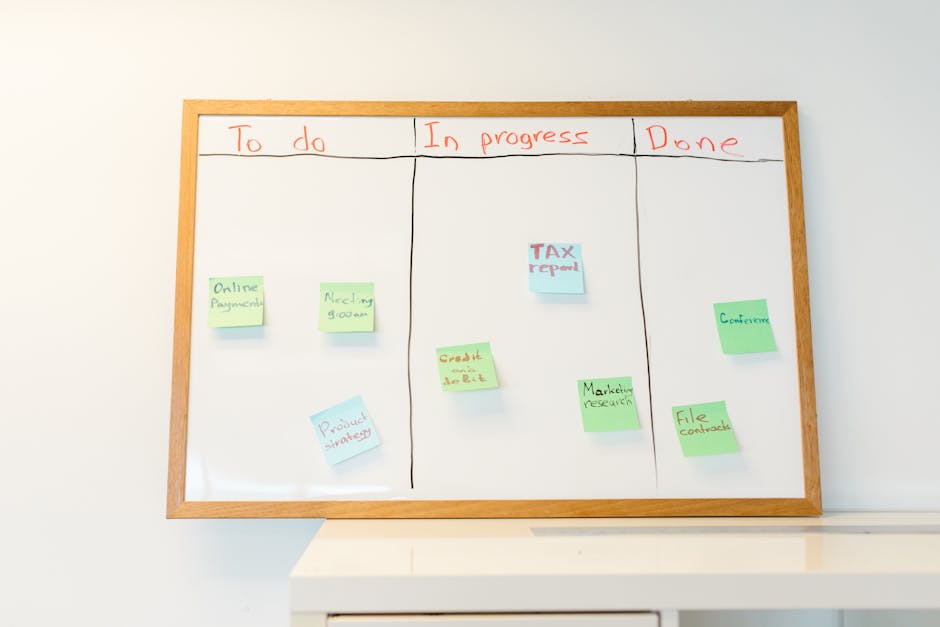
Photo by RDNE Stock project on Pexels
## Top Notion Templates for Students
### Template 1: Semester Hub
- Dashboard with links to all courses
- Master Calendar for exams and deadlines
- Grade Calculator using formula properties
- Resource Library for PDFs and links
### Template 2: Thesis Manager
- Research Database with tags for sources
- Writing Tracker with word count goals
- Literature Review with linked summaries
- Milestone Timeline using Gantt chart view
### Template 3: Daily Planner
- Morning Routine checklist
- Task List with priority and estimated time
- Reflection Section for end-of-day review
- Weekly Overview with goals and wins
## Tips for Long-Term Success
- Start simple – don’t overcomplicate your first setup. Add features as you need them.
- Use templates from notionkit.tech to save hours of setup time.
- Review weekly – every Sunday, update your dashboard and plan the week ahead.
- Archive old semesters – move completed course databases to an “Archive” page to keep your workspace clean.
- Sync with Google Calendar – use Notion’s calendar integration to see class schedules and deadlines in one view.
## Conclusion
Notion transforms how students manage their academic life by replacing scattered apps with a single, customizable workspace. From lecture notes and assignment tracking to advanced research systems, Notion adapts to your study style—not the other way around. The key is to start with a solid foundation (like the student dashboard) and gradually refine your setup.
Ready to stop the chaos and start studying smarter? Visit notionkit.tech for free student templates, including the Semester Hub and Assignment Tracker. Download them instantly and set up your perfect student system in under 10 minutes. Your grades will thank you.